Free US shipping when you spend $50+


.png)
AI image generation has changed the economics of visual content. What used to take a photographer, a studio, and a week now takes a prompt and a few minutes. But scale creates a new problem. When you generate hundreds of images for campaigns, product pages, social feeds, and ads, they start to drift. One looks cinematic, the next looks like a cartoon. Your brand stops feeling like a brand and starts feeling like a stock photo bin.
Brand consistency is what separates a polished visual identity from a pile of pretty pictures. Here is how to keep hundreds of AI images looking like they belong to the same family.
Key takeaways:
Most image models are non-deterministic. Feed the same model two slightly different prompts and you can get wildly different lighting, color grading, composition, and mood. Even the same prompt run twice produces variation. Multiply that across hundreds of generations and dozens of small prompt tweaks, and your visual identity erodes without anyone noticing until the deck is assembled.
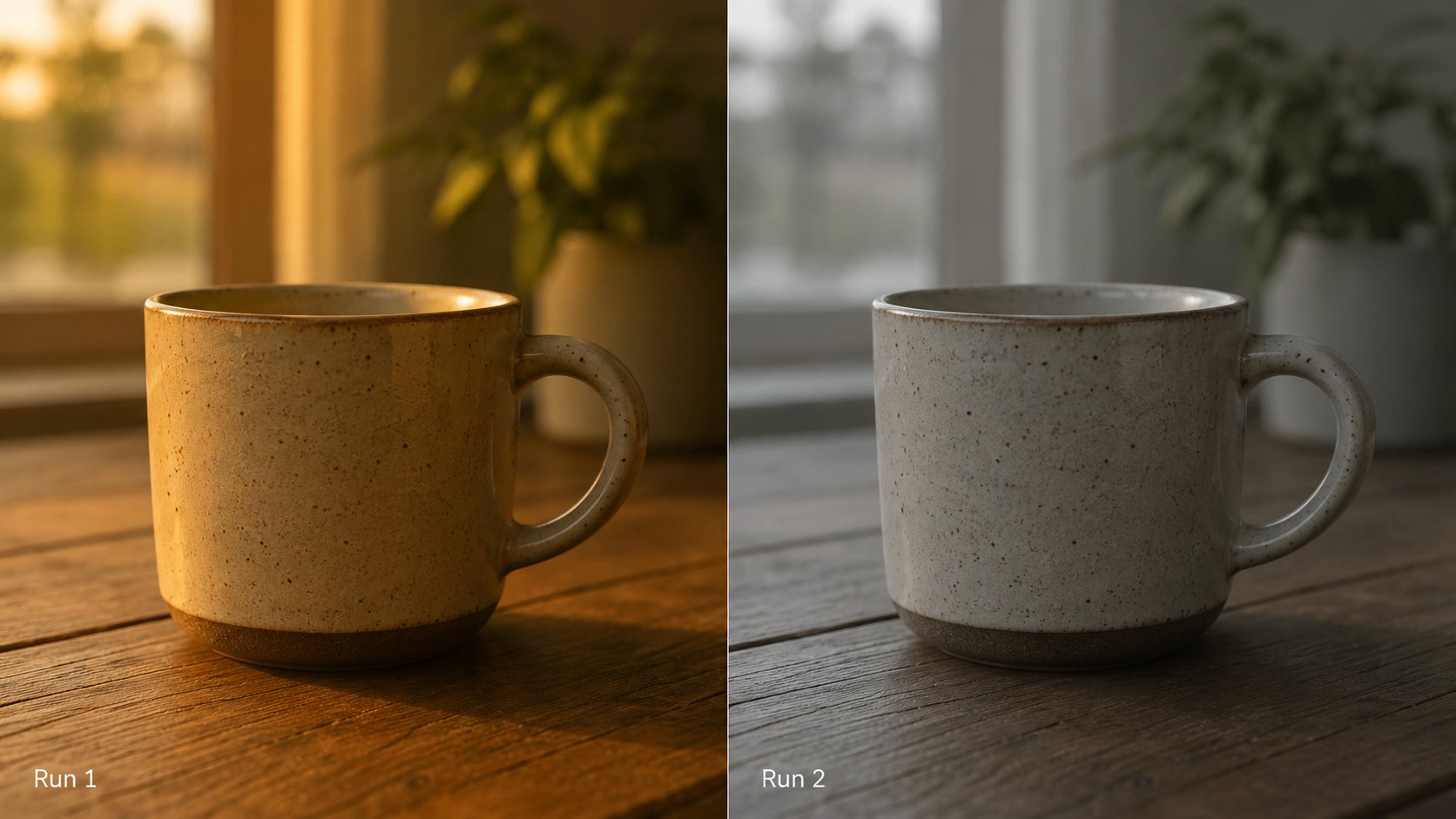
The drift usually shows up in five places: color palette, lighting style, composition and framing, subject treatment, and overall mood. A consistent brand locks these down so every image reinforces the same impression.
Before generating anything at scale, write down your visual rules in plain language. Treat it like a brand book for prompts. Define your dominant color palette, your preferred lighting (soft and diffused, hard and dramatic, natural window light), your camera perspective, your level of realism, and the emotional tone you want every image to carry.
This document becomes the source of truth. Every prompt you write should pull from it rather than reinventing the look each time. The goal is that anyone on your team could generate an on-brand image without guessing.
The single biggest lever for consistency is a repeatable prompt template. Instead of writing each prompt from scratch, separate your prompt into fixed and variable parts.
The fixed part carries your brand DNA: the style descriptors, color language, lighting, and rendering quality that should never change. The variable part is the subject of the specific image. So your template looks something like a stable block of style instructions with a single swappable slot for the subject.
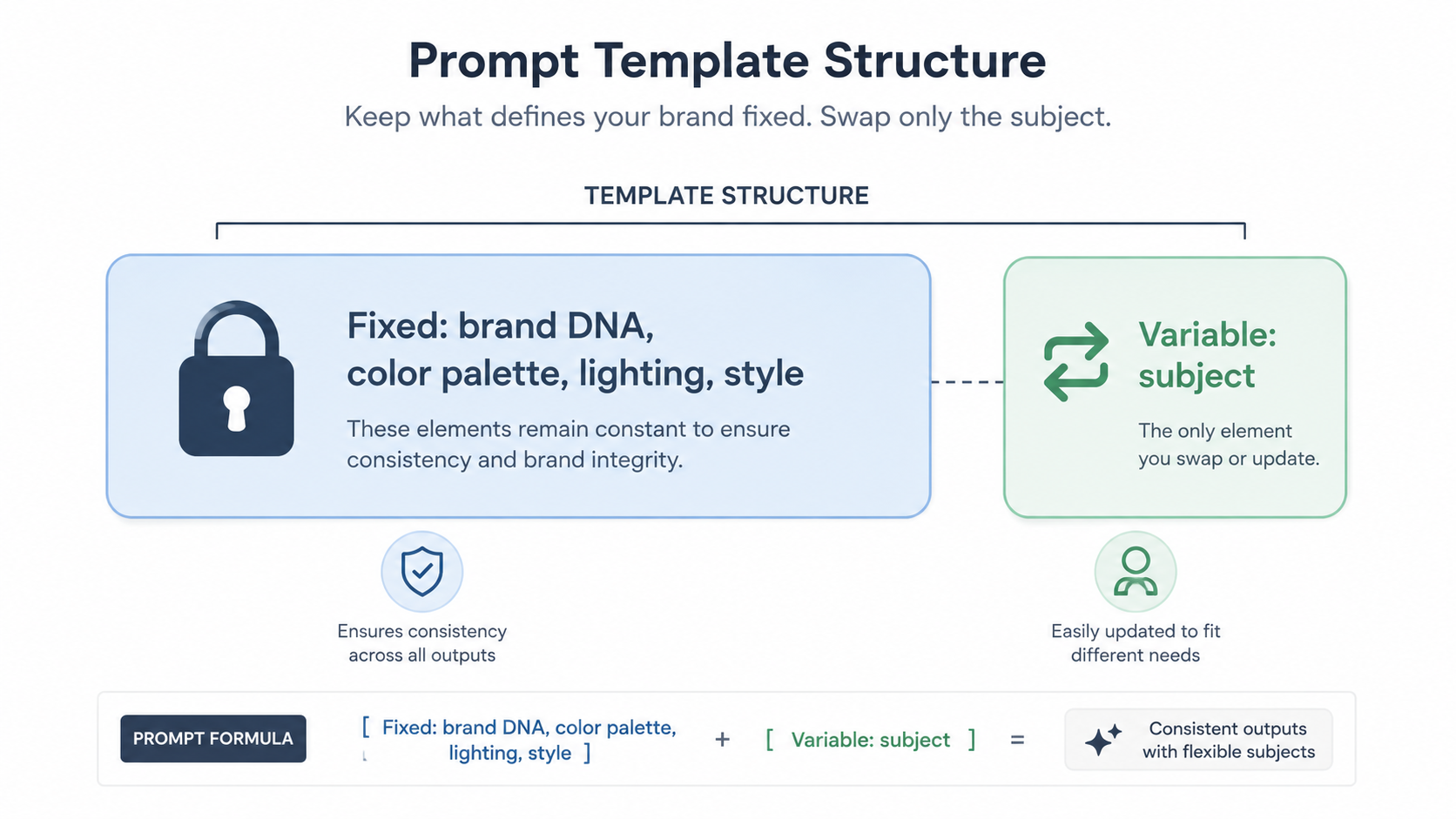
When the style block stays identical across hundreds of generations, the output naturally converges on a shared look. This is where a tool like MoonPrompt earns its place, because storing, reusing, and versioning these prompt blocks beats copying and pasting from a scattered notes file every time you generate.
Switching models mid-project is one of the fastest ways to break consistency. Different models have different aesthetic defaults, and even different versions of the same model render differently. Pick one model for a given campaign and stay with it.
The same goes for technical settings. Keep your aspect ratios, style strength, and any stylization parameters consistent. If your platform supports seeds, use them to anchor recurring elements. Document the exact configuration alongside your prompt template so it can be reproduced exactly later.
Many modern tools let you feed reference images to guide generation. This is one of the most reliable ways to hold a look across a large batch. Choose two or three hero images that perfectly capture your brand, then use them as visual anchors for everything that follows.
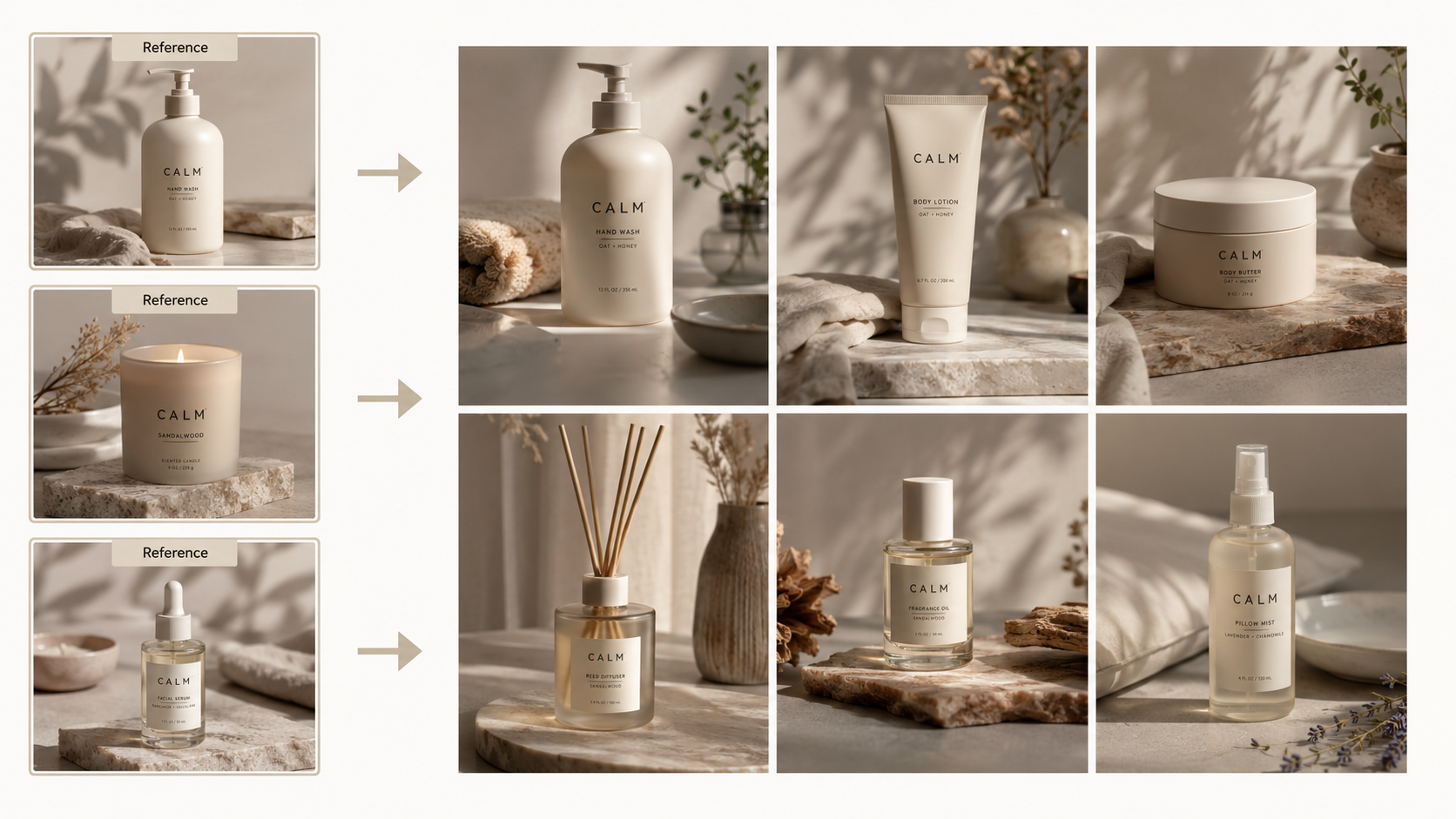
Reference-based generation pulls new images toward the same palette, texture, and mood as your anchors. It removes a lot of the guesswork that comes from trying to describe a complex aesthetic in words alone.
The teams that stay consistent at scale treat prompts as assets, not throwaway text. They build a library of tested, approved prompts organized by use case: product shots, lifestyle scenes, backgrounds, social posts, hero banners. Each entry has been refined until it reliably produces on-brand results.
A prompt library does three things. It speeds up generation because nobody starts from zero. It enforces consistency because everyone draws from the same vetted source. And it preserves institutional knowledge so a strong prompt is never lost when a project ends or a teammate leaves. Organizing and sharing this library is exactly the workflow MoonPrompt is built around, so your best prompts live in one place instead of being scattered across chats and screenshots.
Consistency problems are invisible when you look at images individually and obvious when you see them side by side. Build a review step where you lay out a batch on a single board or grid and scan for outliers. Anything that fights the group gets regenerated.
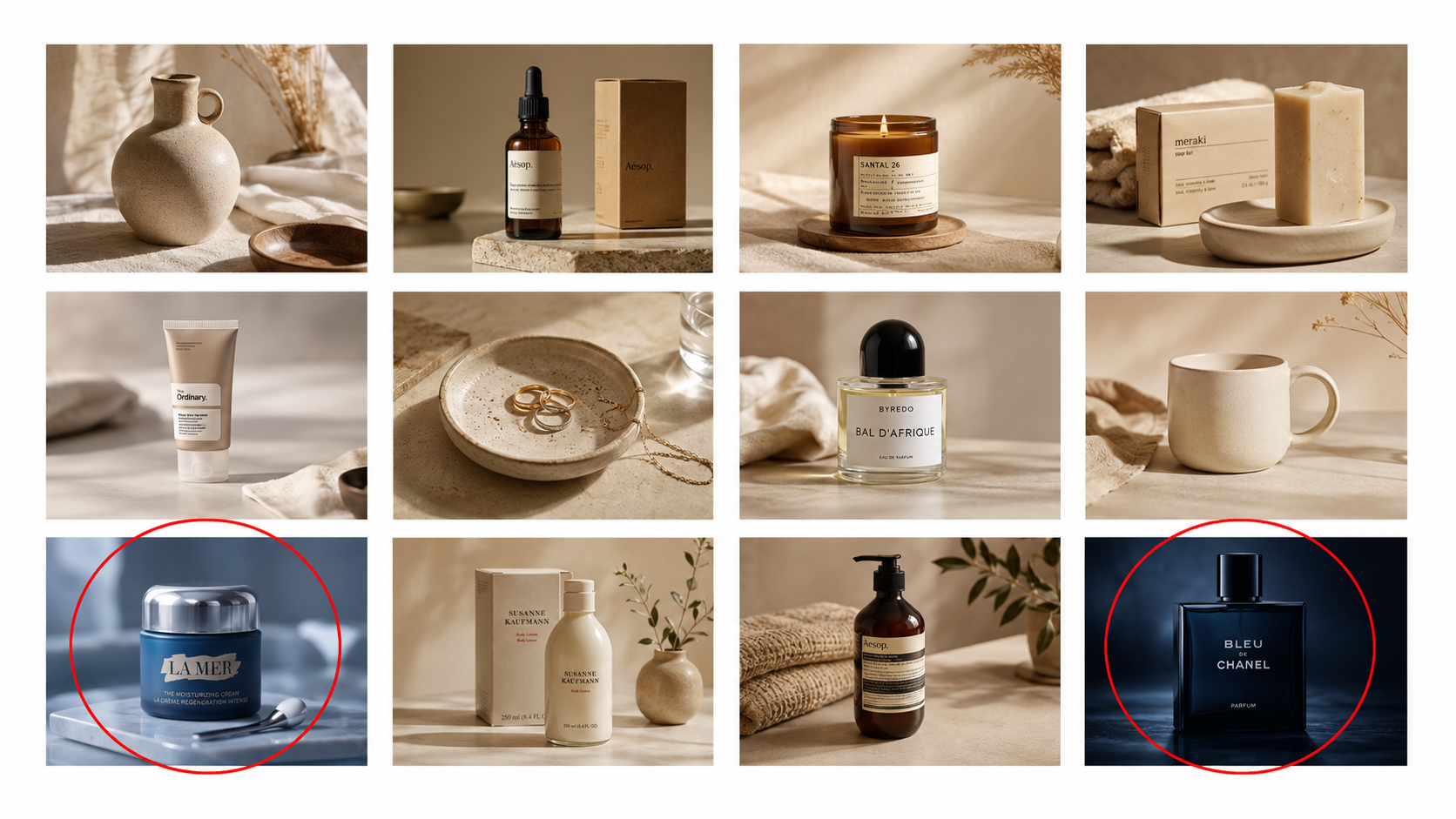
This batch review catches the subtle drift that single-image checks miss: a slightly warmer tone here, a different depth of field there. Over a hundred images, those small inconsistencies add up to a brand that feels unintentional.
Even tightly controlled prompts produce minor variation, so a light, uniform post-processing pass ties everything together. Apply the same color grade, the same subtle adjustments, and the same export settings across the whole set. A consistent edit at the end smooths over the small differences that the model introduces.
Keep this pass light. The goal is unification, not heavy manipulation. A shared preset applied to every image does most of the work.
Maintaining brand consistency across hundreds of AI images comes down to discipline and good systems. Define your visual rules once. Build reusable prompt templates that carry your brand DNA. Lock your model and settings. Anchor with reference images. Keep a library of proven prompts. Review in batches. Finish with a uniform edit.
Do this, and scale stops being a threat to your brand and becomes a multiplier for it. You get the speed of AI generation without the chaos, and every image you ship reinforces the same recognizable identity. The tools you use to organize and reuse your prompts make or break this workflow, which is why a dedicated prompt management platform like MoonPrompt is worth setting up before your image count climbs into the hundreds.
Why do AI images look inconsistent even with the same prompt? Most image models are non-deterministic, so they introduce variation in lighting, color, and composition on every run. Using fixed seeds, a stable prompt template, and reference images reduces this variation.
What is the best way to keep AI images on-brand at scale? Build a reusable prompt template that carries your brand DNA in a fixed block, lock your model and settings, anchor with reference images, and review outputs in batches. Storing these prompts in a shared library keeps everyone producing the same look.
Should I switch models between images in the same campaign? No. Different models, and even different versions of the same model, have different aesthetic defaults. Pick one model per campaign and stay with it to avoid breaking consistency.
How does a prompt library help with brand consistency? A prompt library gives everyone a single source of vetted, on-brand prompts. It speeds up generation, enforces a shared look, and preserves your best prompts so they are never lost between projects.